

Native Refresh Rate for qled tv should be at least 120Hz for smooth motion in high-frame-rate gaming and live sports. You need a 120Hz threshold if your primary use involves fast-moving content, while 60Hz remains sufficient for standard television viewing and static media.
Recommended Native Refresh Rates for QLED TVs
The following table outlines the Native Refresh Rate requirements based on specific viewing habits and content types.
| Use Case | Recommended Native Refresh Rate | Why this number? |
|---|---|---|
| Standard TV viewing | 60Hz | Standard broadcast content typically targets 60 frames per second. |
| Streaming movies | 60Hz | Most cinematic content is shot at 24fps, which 60Hz handles easily. |
| Live sports (football, racing) | 120Hz | Required to display smooth motion for live sports and reduce blur. |
| Competitive gaming | 120Hz or higher | At least 120Hz is required to play a competitive shooter at high frame rates. |
| High-end gaming (PS5/Xbox Series X) | 120Hz | Required to support 4K resolution at 120 frames per second. |
QLED TVs covered by our own reviews
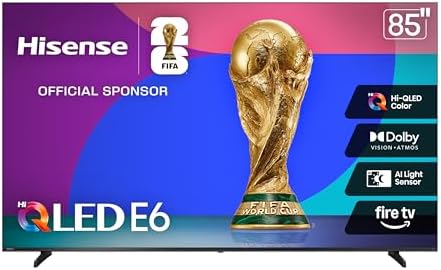
Prices across these 3 run from $297.99 to $899.99; each one has a full review here.


What happens if you go under or over on Native Refresh Rate?
Going under the required Native Refresh Rate results in visible motion blur or “ghosting” during fast scenes. If a qled tv only supports 60Hz, a fast-moving soccer ball or a racing car may appear as a series of distinct steps rather than a fluid motion. This happens because the screen cannot update its pixels fast enough to keep up with the movement of the objects on screen. You might notice this most when looking at the edges of moving objects against a static background.
Paying for a 240Hz QLED TV without compatible gaming hardware
Overbuying on Native Refresh Rate involves paying for a higher frequency than your hardware or content can actually provide. A qled tv with a 240Hz Native Refresh Rate provides a much higher ceiling for smoothness than a 120Hz model. However, if you do not own a gaming PC capable of outputting 240 frames per second, or a console that supports that specific frequency, the extra capability remains unused. You pay for a technical headroom that your current setup cannot reach.
Why 240Hz QLED TV screens do not improve standard movie quality
Does a 240Hz screen look better for standard movies? No, because the source material does not provide enough frames to utilize that speed. Most high-end content remains capped at much lower values than the maximum hardware limits of the most expensive panels. You are paying for the potential of high-frequency output, not a change in the visual quality of standard broadcasts.
What is the most common mistake with Native Refresh Rate?
The most common mistake is confusing Native Refresh Rate with the refresh rate of the content itself. A qled tv with a 144Hz Native Refresh Rate does not make a 24fps movie look like 144fps content. It simply means the screen is capable of updating its pixels 144 times every second. If the source video only provides 24 frames per second, the TV will display those 24 frames across its available refresh cycles.
Choosing a QLED TV refresh rate based on your primary activity
Buyers often assume that a higher Native Refresh Rate will automatically improve the clarity of a standard television show. It does not. Instead of focusing solely on the maximum Hz number, you should optimize for the Native Refresh Rate that matches your most frequent activity. If you primarily watch news and dramas, a 60Hz panel provides the necessary performance without the unnecessary cost of higher tiers. If you prioritize gaming, the 120Hz threshold is the primary target for a fluid experience.
How does Native Refresh Rate interact with other QLED TV specs?
Native Refresh Rate works in tandem with the GPU and the HDMI version of your source device. A qled tv with a 120Hz Native Refresh Rate is only useful if your gaming console or PC can output that many frames. You must ensure your connection supports the necessary bandwidth to carry that much data at your desired resolution.
HDMI 2.1 requirements for achieving 120Hz on a QLED TV
The HDMI 2.1 standard is a critical requirement for many high-refresh-rate applications. It is necessary for 4K at 120Hz and Variable Refresh Rate (VRR) support. Without this standard, many modern consoles cannot reach the 120Hz threshold even if the television hardware supports it. You should check that your source device supports the specific protocol required for the refresh rate you want to achieve.
How internal processing speed affects motion smoothness on QLED TVs
Processing speed and motion handling also play a role in how smooth a qled tv appears. Even with a high Native Refresh Rate, the internal processing determines how the TV handles “judder” or “stutter” when the source content does not align perfectly with the refresh cycle. This is why some panels appear smoother than others even when they share the same 120Hz rating. The hardware must be able to interpolate or manage the timing of the pixels to create a fluid image.
Selecting the lowest QLED TV refresh rate that meets your needs
Finally, the Native Refresh Rate is a hardware limit, not a guarantee of performance. If your source device only outputs 60Hz, the qled tv will simply display that 60Hz signal. The high refresh rate sits in reserve, ready to be used only when you provide content that demands it. When choosing a qled tv, identify your primary use case first, then select the lowest Native Refresh Rate that satisfies that specific requirement.
Ebservant is reader-supported: some links on this page are affiliate links, and as an Amazon Associate Ebservant earns from qualifying purchases at no extra cost to you. Learn more.