

Coverage area for a mesh wifi system typically ranges from 1,300 to 12,000 sq. ft. depending on the number of nodes and the layout of the home. You should select a system that covers at least 20% more than your total square footage to account for signal attenuation caused by internal walls and furniture.
For high-performance setups, you can view our comparison of the best wifi 6 mesh system for gaming.
Recommended Coverage Area by Use Case
| Use Case | Recommended Coverage Area | Why this number |
|---|---|---|
| Small Apartment | 1,300 to 2,000 sq. ft. | Ensures full signal penetration through standard interior walls. |
| Average Single-Family Home | 2,500 to 5,000 sq. ft. | Provides consistent speeds for multiple rooms and a home office. |
| Large Home or Estate | 5,000 to 8,000 sq. ft. | Supports multiple nodes to bridge long distances between wings. |
| Commercial or Warehouse | 8,000 to 12,000 sq. ft. | Allows for high-density placement to maintain signal in large open spans. |
Mesh Wifi Systems we have reviewed in detail
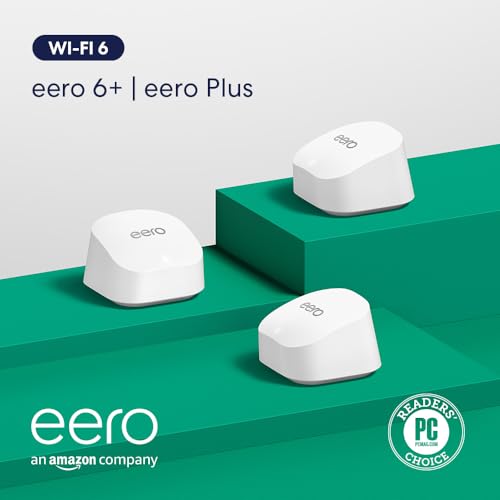
Each of the 3 shown here has its own full review on this site; they run from $144.99 to $209.99.
If you are new to this technology, see our guide to the best mesh wifi system for beginners.
You might also want to explore our analysis of the best wifi 6e mesh system.


What Happens if You Underbuy or Overbuy Coverage Area
Underbuying coverage area leads to “dead zones” where the mesh wifi system cannot deliver a stable signal. If the coverage area is too small for your floor plan, devices in peripheral rooms will frequently drop connections or revert to slower speeds as they struggle to maintain a handshake with a distant node. This often forces users to move furniture or reposition routers in ways that disrupt the home layout just to get a usable signal in a bedroom or garage.
To ensure every smart device stays connected, look at our ranking of the best mesh wifi system for smart home.
Sprawling floor plans require different hardware, so view our list of the best mesh wifi system for large homes.
Overbuying mesh wifi system capacity leads to unnecessary sunk costs
Overbuying coverage area involves purchasing a mesh wifi system with a maximum capacity far exceeding your actual square footage. While many believe a larger coverage rating always implies better performance, it does not. If you buy a system rated for 12,000 sq. ft. for a 2,000 sq. ft. home, you are paying for hardware capabilities and extra nodes that will sit idle. This represents a sunk cost where the extra hardware provides no measurable increase in your daily internet speeds or connection stability.
If you experience high latency when the internet slow in home office, these specific models can help.
For high-density households, see our guide to the best mesh wifi system for many devices.
The Coverage Area Mistake Most Buyers Make
Many buyers focus on the maximum coverage area figure while ignoring the density of internal obstructions. A common mistake is assuming that a system rated for 5,000 sq. ft. will perform identically in an open-concept studio as it will in a multi-story home with brick interior walls. Coverage area is a theoretical maximum based on a clear line of sight, not a guarantee of performance through heavy materials.
Compact living spaces have different needs, so browse options for the best mesh wifi system for small apartments.
Understanding your hardware limitations is easier when you see what WAN port speed you actually need.
Prioritizing node density and signal pathing over total square footage
You should optimize for node placement and signal pathing instead of just the total square footage. Rather than seeking the highest possible coverage number, identify the furthest point in your home that requires high-speed data. How many walls stand between that point and your primary router? If the answer is more than two, you need a mesh wifi system that prioritizes node density over a single large coverage radius. A system with three nodes covering 3,000 sq. ft. often outperforms a single-node system claiming 5,000 sq. ft. in a complex floor plan.
Proper placement is key, so learn how many nodes for mesh wifi systems to choose.
Protect your investment by viewing our breakdown of mesh wifi system warranties.
How Coverage Area Interacts with Other Deciding Specs
Coverage area interacts with the number of nodes and the WiFi band used for backhaul. A high coverage area figure is often achieved by adding more nodes, which increases the total number of available access points. However, if these nodes communicate over a shared 2.4 GHz band, the actual speed available to your devices may drop significantly as the network grows.
New users can start by viewing the basic mesh wifi system explained.
Safety is paramount, so review our list of mesh wifi safety standards.
Dedicated backhaul capacity determines usable speeds across large coverage areas
The real limit on your experience is often the backhaul capacity rather than the physical distance the signal travels. If your mesh wifi system covers a large area but uses a half-duplex bottleneck—where nodes use the same radio for both client traffic and communication with each other—the speed will degrade as you move further from the main unit. You need a system that supports a dedicated backhaul, such as a 6 GHz band or a wired Ethernet backhaul, to ensure that the large coverage area remains usable at the edges of the network.
You can find our full analysis of the eero 6 to see how it performs.
For a budget-friendly option, see our full review of the Deco S4.
Matching mesh wifi backhaul standards to specific high-bandwidth usage needs
Think about your specific needs. Will you be streaming 4K video in the backyard or just checking email in the basement? If the answer involves high-bandwidth tasks, you must prioritize the backhaul standard over the raw square footage. A system with a 2.5 Gbps WAN port allows for higher internal speeds, but it only matters if the mesh nodes can actually transport that data across the coverage area without hitting a hardware bottleneck.
Check out our full spec breakdown of the Deco X20.
If you prefer Google products, see our full review of the Google Wifi.
The other mesh router guides we have published
- Which Mesh WiFi System Eliminates Dead Zones in a Large House?
- The Mesh WiFi Systems That Fix Slow Internet in a Home Office
- Best Mesh WiFi Systems for Large Homes
- WiFi 6 Mesh Systems for Gaming Compared
- Choosing the Best Mesh WiFi System for Many Devices
- The Mesh WiFi Systems That Work Best for Beginners
Ebservant is reader-supported: some links on this page are affiliate links, and as an Amazon Associate Ebservant earns from qualifying purchases at no extra cost to you. Learn more.