

Mesh wifi systems generally cost between $100 and $1,800, with most buyers landing in the $144.99 to $287 range. As the price rises, the median coverage area increases from 3,800 sq. ft. at the entry level to 6,500 sq. ft. at the top end.
For high-performance gaming, browse our comparison of the best wifi 6 mesh systems for gaming.
Mesh WiFi System Price Levels at a Glance
| Price level | Price range | Products | Median coverage area | Median max device capacity | Median rating |
|---|---|---|---|---|---|
| Entry level | $100 to $139.99 | 24 | 3,800 sq. ft. | 62 devices | 4.2 |
| Lower mid-range | $144.99 to $175.99 | 24 | 4,500 sq. ft. | 100 devices | 4.3 |
| Upper mid-range | $179.46 to $287 | 24 | 5,000 sq. ft. | 125 devices | 4.3 |
| Top end | $299.95 to $1799.99 | 25 | 6,500 sq. ft. | 200 devices | 4.1 |
Products in this category with a full review here
From $109.98 to $209.99: 3 of the 15 in this category we have reviewed in full.
If you need the latest speeds, see our comparison of the best wifi 6e mesh systems.


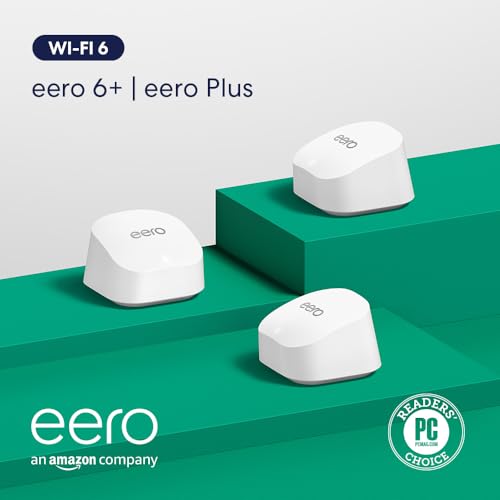
What does an entry level mesh wifi system provide?
An entry level mesh wifi system provides a median coverage area of 3,800 sq. ft. and a median max device capacity of 62 devices. These systems typically operate on a 2.4 GHz wifi band, which is a frequency spectrum used for transmission that provides a range suitable for basic home connectivity. If you need to cover a small apartment or a single-floor home with a limited number of smart home gadgets, this price point is sufficient. However, you give up the higher device limits and the broader frequency bands found in mid-range options, which can lead to slower speeds when many people are online simultaneously.
Before purchasing, you should review mesh wifi system warranties and safety standards to protect your investment.
What does a lower mid-range mesh wifi system provide?
A lower mid-range mesh wifi system provides a median coverage area of 4,500 sq. ft. and a median max device capacity of 100 devices. These systems often feature a 2.5 Gbps WAN port speed, which measures the maximum data rate of the internet input. This speed is useful if you have a high-speed fiber connection and want to ensure the hardware does not bottleneck your incoming data. This level suits a medium-sized home where multiple people stream video or work from home. You gain a significant jump in device capacity over the entry level, but you still may not reach the 6 GHz band availability found in the highest price tiers.
Ensure your hardware is sufficient by checking the required wan port speed for mesh systems.
What does an upper mid-range mesh wifi system provide?
An upper mid-range mesh wifi system provides a median coverage area of 5,000 sq. ft. and a median max device capacity of 125 devices. These systems frequently utilize a 5 GHz wifi band, which provides a wider channel for faster data transfer over shorter distances compared to 2.4 GHz. If you have a large house with many high-bandwidth devices like gaming consoles or 4K cameras, this level offers the necessary capacity. You gain more consistent performance in high-density environments, but the coverage area remains lower than the top-end systems that are designed for sprawling properties.
Verify that your equipment meets required mesh wifi certifications and safety standards for your region.
What does a top end mesh wifi system provide?
A top end mesh wifi system provides a median coverage area of 6,500 sq. ft. and a median max device capacity of 200 devices. These units often include the 6 GHz band, which provides a dedicated spectrum to avoid interference from legacy 2.4 GHz and 5 GHz devices. This level is for users who require the highest possible performance ceiling for large households or smart homes with hundreds of connected items. You gain the maximum available coverage and the newest frequency standards, but you pay a significant premium for features that may not be necessary in smaller living spaces.
Determine your layout needs by looking at how to choose the number of mesh nodes.
Where does paying more stop buying more mesh wifi system coverage?
Paying more stops providing significant gains when the price per unit of coverage area flattens or rises sharply. The median price per unit of coverage area is $0.03 for both the entry and lower mid-range levels, meaning you get a linear increase in space for your money in these brackets. In the upper mid-range, this cost rises to $0.04. At the top end, the cost jumps to $0.08 per unit of coverage area. This indicates that the final 1,500 sq. ft. of coverage costs more than double the previous tiers combined. If your home is under 5,000 sq. ft., the extra cost of the top end does not translate into more physical coverage but rather into higher device limits and faster frequency bands.
For a deeper dive into technology, see the different types of mesh wifi systems explained.
What should you budget for on top of the mesh wifi system?
You must budget for physical infrastructure to ensure the nodes communicate effectively. A stable wired backhaul is often necessary for high-speed performance, which requires an Ethernet Cable to connect the nodes together. If you need to place a node in a location without a nearby wall outlet, a PoE Injector provides power over the ethernet cable to remote nodes. To use these, the cable must match the connector type of the mesh router, and the injector must match the power requirements of the specific node model. These items are necessary for a reliable mesh network in large homes where the signal must travel through several walls.
You can find our detailed spec breakdown of the NETGEAR RBK50 on our dedicated product page.
How do you tell if a mesh wifi system is a fair price?
A fair price for a mesh wifi system is determined by the price per unit of coverage area relative to the median values. The median price per unit of coverage area for the entry level is $0.03, while the top end is $0.08. If you find a system that covers 5,000 sq. ft. for $200, the price per unit is $0.04, which aligns with the upper mid-range median. You should compare the price of the specific system to the median price for its respective tier. If the price per unit is significantly higher than $0.04 for a home under 5,000 sq. ft., you are paying for features like the 6 GHz band or higher device limits rather than for more physical area.
Learn about the entry-level options in our full review of the Deco M5.
How does the system handle high-definition streaming?
The system handles high-definition streaming by managing the throughput for each active connection based on the max device capacity. For example, a household streaming four 4K videos simultaneously requires a system that can maintain stable data flow across multiple concurrent streams. If you have more than 62 devices in your home, you should look at the lower mid-range or higher to ensure the device capacity does not create a bottleneck. If your home has fewer than 10 devices, the entry level’s 62-device limit is more than sufficient for your needs.
For a compact solution, look at our full review of the Orbi RBK20W-100NAS.
What happens in a home with many smart devices?
In a home with many smart devices, the system manages the total number of simultaneous connections allowed by the max device capacity. If you have fewer than 100 devices, the lower mid-range or upper mid-range options provide enough capacity to handle the load. Choosing a system with a lower capacity than your total device count can result in devices frequently dropping offline or failing to connect.
High-performance users should look at our full review of the Orbi AX6000.
The rest of our mesh router guides
- Best WiFi 6E Mesh Systems
- Mesh WiFi Systems for Smart Homes Compared
- Choosing the Best Mesh WiFi System for Streaming
- Getting WiFi to Reach an Upstairs Bedroom With a Mesh WiFi System
- Which Mesh WiFi System Eliminates Dead Zones in a Large House?
- The Mesh WiFi Systems That Fix Slow Internet in a Home Office
Ebservant is reader-supported: some links on this page are affiliate links, and as an Amazon Associate Ebservant earns from qualifying purchases at no extra cost to you. Learn more.