

Local Dimming Zones for qled tv should range from 500 to over 2,000 depending on your room’s lighting and viewing distance. You need a minimum of 500 zones for a balanced experience in a standard living room, while high-end enthusiast setups benefit from 1,000 zones or more to minimize blooming.
Recommended Local Dimming Zones for Qled Tv
| Use Case | Recommended Local Dimming Zones | Why this number |
|---|---|---|
| Casual TV watching | 250 to 500 | Provides basic contrast improvement for standard cable and streaming content. |
| Standard Living Room | 500 to 1,000 | Offers sufficient control to manage bright objects against dark backgrounds in most rooms. |
| Dedicated Home Theater | 1,000 to 2,000 | Reduces visible halos around subtitles or bright UI elements in a dark room. |
| High-End Gaming | 1,000+ | Ensures precise contrast and shadow detail in dark, atmospheric game environments. |
| Bright Daytime Viewing | Any (Focus on Nits) | Local dimming has less impact in bright light where peak brightness is the priority. |
QLED TVs we have reviewed in detail
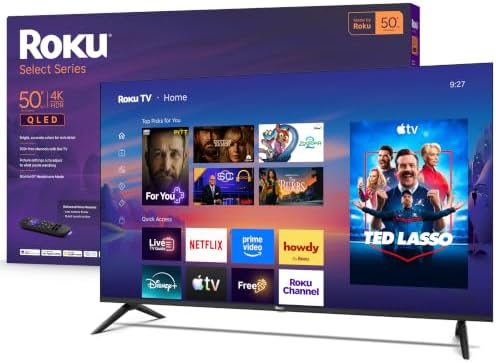
3 options shown here, $199.99 to $997.99, each with its own full review behind its name.


What happens if you under-buy or over-buy Local Dimming Zones?
Under-buying Local Dimming Zones results in visible blooming and halos around bright objects on a dark screen. When the number of zones is too low to match the resolution of the panel, the backlight cannot isolate light effectively. You will notice white glows spreading from white text or bright sparks in a dark scene. This happens because the hardware is trying to light up a large area to cover a small bright spot. Does your current TV show a halo around white subtitles? If so, your current zone count is likely below the 500-zone threshold for your screen size.
For a unique wall-mounted aesthetic, see our full TCL 65A300L review.
Diminishing returns occur when QLED TV local dimming zone counts increase
Over-buying Local Dimming Zones provides diminishing returns once the zone density reaches a certain level of precision. While moving from 500 to 1,000 zones provides a noticeable leap in contrast, moving from 2,000 to 4,000 zones offers much smaller visual gains. High zone counts require complex processing and can sometimes cause “zone flickering” or “contouring” if the software struggles to manage the transitions. You pay a significant price premium for these extra zones without a proportional increase in image quality. It is a matter of cost versus visible benefit.
What is the most common mistake with Local Dimming Zones?
The most common mistake is assuming that a higher zone count automatically solves all contrast issues. Many buyers look only at the number of zones without considering the physical size of the screen. A 100-zone count on a 43-inch screen provides much higher precision than 100 zones on a 98-inch display. Because the physical area each zone must cover is smaller on smaller screens, the density is higher.
Larger displays offer an immersive experience, so view our full Samsung Q60T review for the 85-inch model.
Optimizing QLED TV zone density per square inch improves picture precision
You should optimize for zones per square inch rather than just the raw total. A high-quality 1,000-zone system on a 65-inch qled tv provides a much more refined picture than a 500-zone system on a 50-inch model. When choosing, identify your target screen size first. Then, look for a zone count that provides enough density to keep the “blooming” effect smaller than the objects you are viewing. Precision matters more than raw quantity.
How do Local Dimming Zones interact with other Qled Tv specs?
Local Dimming Zones interact directly with peak brightness and the panel’s native refresh rate. A high zone count is only useful if the LEDs can actually produce enough light to create a contrast difference. If a qled tv has a low peak brightness, even 2,000 zones will not make the highlights pop against the shadows. The zones provide the “where” of the light, but the peak brightness provides the “how much.”
If you need a massive screen with Mini LED tech, see our full TCL 75R635 review.
High-performance processors prevent motion blur in high-density dimming systems
The connection between zone count and motion blur is also significant. High-density dimming requires the processor to make rapid decisions about which zones to fire. If the processor is slow, you may see “ghosting” where the dimming zones lag behind fast-moving objects. This is why high zone counts are often paired with high-performance processors in flagship models. You need both the hardware to provide the light and the intelligence to move it correctly. Without a capable processor, a high zone count can actually degrade the image during high-action scenes.
Full Array Local Dimming provides superior black levels over edge-lit systems
Finally, the physical backlight type dictates how these zones behave. Full Array Local Dimming (FALD) places the LEDs behind the entire panel, allowing for the high counts mentioned in our research. In contrast, some models use dual led or edge-lit systems which may state only 1 or 2 “zones” or “contrast control” points. These systems cannot provide the localized control of a full array. If you require deep blacks and minimal blooming, you must prioritize a Full Array Local Dimming system over simpler lighting configurations.
Ebservant is reader-supported: some links on this page are affiliate links, and as an Amazon Associate Ebservant earns from qualifying purchases at no extra cost to you. Learn more.